

The Unity CLI: What Ships Today, What Is Still Broken, and Why It Matters More Than Unity AI
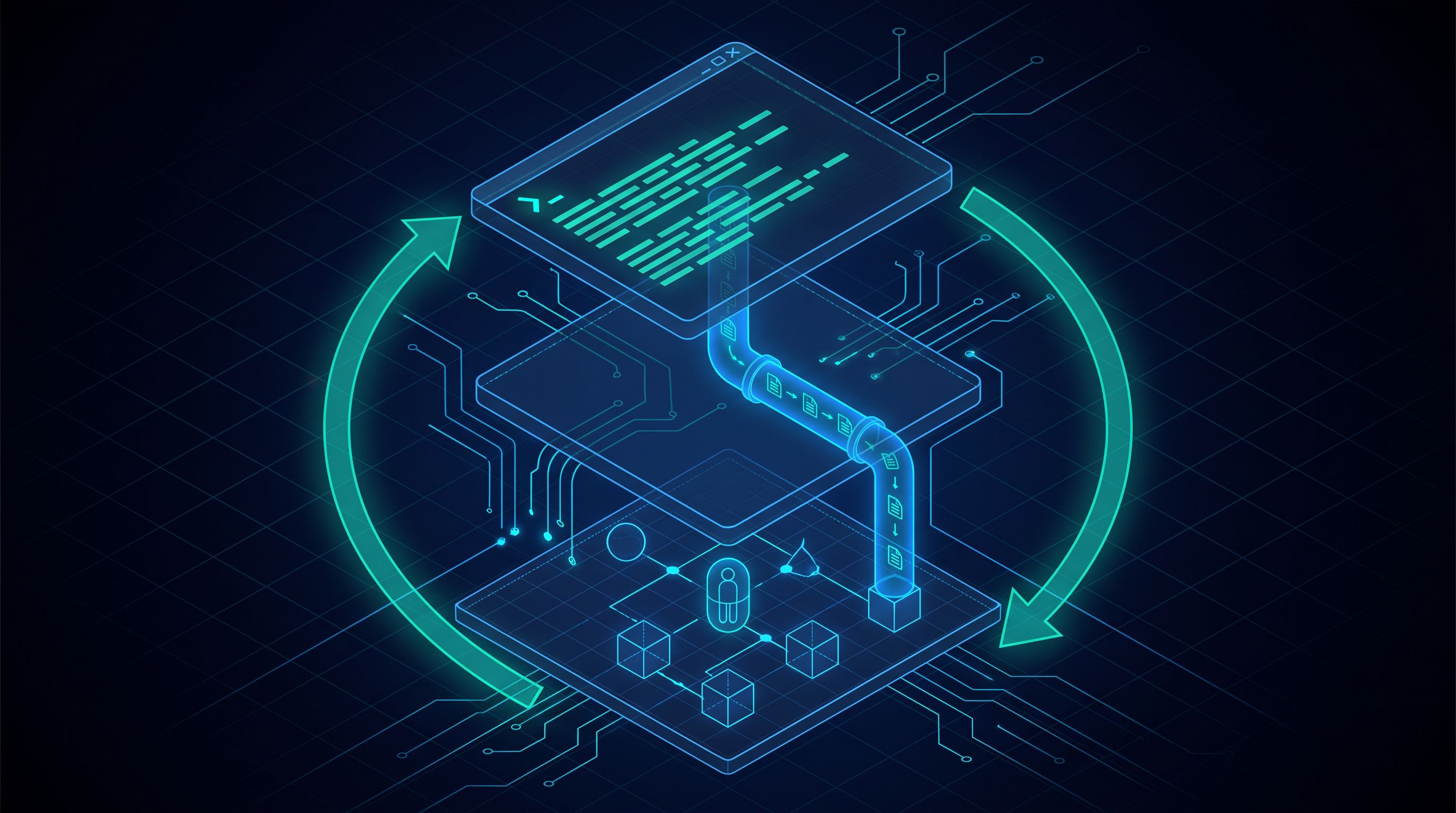
On July 20, 2026, Unity released a standalone unity binary, an experimental com.unity.pipeline package, and the ability to execute arbitrary C# inside a running Editor from a terminal. Etienne Whittom, VP of Authoring Platform, summarized the design in one line: the CLI manages Unity, the Pipeline package drives it, and eval reaches inside it.
In May we wrote about the Unity AI open beta and reported what the developers actually testing it were saying in Unity's own discussion thread. The consensus then was that Unity was fighting the wrong battle: stop competing with frontier models head-on, and build the surface that lets external agents drive the Editor. Two months later, that is what Unity shipped. This release matters more than Unity AI did, and the reception in the same community reflects it. It is the first time external tooling has had a supported way into the Editor, which makes a whole class of studio automation practical to build and, more to the point, practical to keep running.
What Actually Shipped
The CLI is a single self-contained binary with no dependencies. Installation puts it on your PATH, and unity upgrade updates it in place. It covers Editor installs (unity install 6000.2.10f1 -m android ios webgl), module discovery (unity modules list), project launching (unity open), authentication (unity auth login), licensing including floating and offline activation workflows, Unity Cloud organizations and projects, project cloning from GitHub, GitLab and Unity Version Control, and unity doctor for diagnosing environment and credential problems. A fresh machine needs nothing else, not even the Unity Hub desktop app.
Installation runs through the beta channel today:
# macOS or Linux
curl -fsSL https://public-cdn.cloud.unity3d.com/hub/prod/cli/install.sh | UNITY_CLI_CHANNEL=beta bash

# Windows
$env:UNITY_CLI_CHANNEL='beta'; irm https://public-cdn.cloud.unity3d.com/hub/prod/cli/install.ps1 | iex
Support for brew, winget and apt is planned but not shipped. The Unity engineer maintaining the CLI said publicly that distributing prebuilt binaries through GitHub Releases is waiting on internal approvals, and pointed developers at the raw CDN bucket in the meantime.
Because it is a native binary rather than the old Unity Hub headless path, it starts fast. That difference is easy to dismiss until you count the calls: a CI job or an agent session makes dozens of them, and startup cost compounds across every one.
The second layer is com.unity.pipeline, added to a project with unity pipeline install. It lets a running Editor accept commands from the CLI over a local API, on Unity 6.0 LTS and newer. The commands are not a fixed set. Any static method in your project becomes one by adding a [CliCommand] attribute, with [CliArg] on its parameters, and the package discovers it automatically:
[CliCommand("greet", "Log a greeting and return its length")]
public static int Greet([CliArg("name", "Who to greet", Required = true)] string name)
{
    Debug.Log($"Hello, {name}!");
    return name.Length;
}
Running unity command with no arguments asks a connected Editor to report the operations it exposes. The same runtime component can be dropped into a development build, so unity command --runtime <player exec name> reaches a running game to pull live logs, query runtime state, or hot-reload code. It is localhost-only and off by default, intended for dev and QA builds and never production.
The third layer is eval. unity eval "return UnityEditor.EditorApplication.isPlaying;" evaluates a C# expression inside a running Editor and returns the result. It is compiled with Roslyn and executed on the Editor's main thread, so it reaches any engine or editor API the project can reach, and it is gated behind a security token. There is an eval_file variant for longer scripts and a --runtime flag that aims the same capability at a live Player. Nothing gets recompiled, and no domain reload happens. The usual edit, recompile, relaunch cycle costs seconds at best. Eval answers in milliseconds against an instance that is already running.
One small tell about how fast this surface is moving: Unity's announcement post writes the command as unity command eval, while the release notes and Unity's own engineers in the forum thread use unity eval. Check unity --help on the version you install rather than trusting either.
The Loop Unity AI Could Not Close
When we tested Unity AI in May and asked it directly whether it could test a game, it answered candidly that it cannot play the game, cannot see the Game View during Play Mode, and cannot simulate user input. It could check whether objects exist and whether properties changed, take Scene View snapshots, and read the Console. That is static validation, not a QA loop.
The Pipeline package plus eval is the missing half. An agent can now open the project, apply a change, run the tests, enter Play Mode, query the live scene graph for what actually happened, read the result, and decide what to do next, without a human copying console output back and forth. Unity's own demo makes the point with a bug report written in plain English, "the player sometimes falls through the floor," where the agent inspects the live scene, finds a collider disabled at runtime, re-enables it, and re-enters Play Mode to confirm the fix.
Two properties do the work here. The CLI emits structured JSON, TSV and NDJSON with a predictable exit code contract (0 success, 1 error, 130 cancelled, 6 when tests execute but fail), so a model gets parseable results instead of scraped console text. And the Pipeline package makes the Editor self-describing, so an agent discovers what it can call at runtime instead of working from a hardcoded list. Any project-specific operation your team registers with an attribute becomes a tool the agent can invoke.
Unity is explicit about where this sits relative to its assistant products. In their words, Unity AI is the part that reasons about your project and decides what to do, while the CLI and Pipeline package are the execution surface that carries those decisions out, and "Unity's AI is one consumer of it, not a replacement for it." That is a more honest framing than anything in the Unity AI launch, and it is the correct one.
Worth noting for anyone who read our May piece: the CLI ships its own MCP mode. The previously existing Unity MCP is not required, unity mcp includes setup commands, and Unity's engineers describe the new implementation as better on performance, focus handling, domain reloads, and talking to multiple Editors at once. They also confirmed in the thread that the MCP is now free with unlimited concurrent connections on the latest version.
The CI Story Nobody Is Covering
Most of the coverage has focused on agents. For most teams the build automation half of this release is the more immediately useful one, and it has nothing to do with AI.
unity test runs Edit Mode and Play Mode tests through the Editor test runner in batch mode, writes NUnit XML through --output, and returns exit code 6 when tests run and fail, which is exactly the distinction a pipeline needs between "the job broke" and "the tests found something." unity build handles Android signing with keystore and key configuration, symbol generation and target SDK, and exports APK, Android App Bundle or an Android Studio project. Build versions can be derived from Git tags and repository history through --versioning-strategy, and a modified working tree blocks the build unless you pass --allow-dirty-build. Headless agents authenticate with a service account through environment variables, floating license servers are supported, and there is real proxy support including authenticated proxies with Kerberos and SPNEGO.
Anyone who has maintained a homegrown Unity CI rig built on -batchmode -quit -executeMethod and a pile of parsing hacks knows how much of that stack this replaces. One developer in the thread put it well: a lot of Jenkins users are raising a beer.
Where It Breaks Today
This is a 0.1.0 beta shipped through a beta channel, and the Pipeline package is marked experimental. Unity says so plainly in the documentation. Treat it accordingly.
The most consequential bug reported in the first days hit precisely the workflow the release is meant to enable. Entering Play Mode triggers a domain reload, which regenerates the Pipeline server's bearer token and rewrites Library/Pipeline/.unity-pipeline-port. An MCP client that read the token at process start keeps using the stale one, so every subsequent tool call fails with 401 Unauthorized, permanently, for the life of that client process. Leaving Play Mode does not recover it. The only fix is restarting the MCP client, which in an agent session means losing the connection to the Editor mid-task. Unity replied that a fix landed and ships this week.
The Editor itself is still not fully agent-compatible, which the Pipeline package mitigates rather than solves. Developers report the Editor sometimes requiring foreground focus before it actually refreshes assets or reloads the domain, so an agent believes it recompiled when it did not, and modal dialogs (the unsaved scene prompt, for one) block an agent that has no way to click them. Unity's current answer is to launch the Editor with -automated, which takes the default action on every dialog while the Editor is open and should only be used for Pipeline-connected sessions. A real fix needs an Editor change and backports.
Performance is honest but not yet competitive with hand-built tooling. A studio developer benchmarked the official CLI against their own internal Unity tooling and reported per-call process latency of roughly 0.80 seconds versus roughly 0.05 seconds, about sixteen times slower, along with poor token efficiency on basic tasks and missing operations such as reordering objects in the hierarchy. Their approach was composable shell tools in the Unix tradition, which compounds well across multi-step work. Unity's response was to benchmark that project and adopt it as the baseline for optimization work, which is the right answer, but the gap exists today.
There is also a discoverability problem that is inherent to the format. An MCP server hands an agent a tool list with descriptions. A CLI hands an agent nothing, so the model reinvents usage from scratch unless you teach it. Unity's answer is a unity-cli skill in their public skills repository, installable with npx skills add Unity-Technologies/skills. It works, and it is the right pattern, but it means the CLI is not self-sufficient as an agent surface. You are shipping a skill or an AGENTS.md alongside it. Profiler and frame debugger integrations are planned before general availability and are not in yet.
The Reception Tells You Something
The Unity AI beta drew hostile trade press and a developer thread full of people telling Unity it was building the wrong thing. The CLI thread reads completely differently. A developer who opened by describing himself as consistently critical of Unity for the last four years called the CLI awesome and thanked the team, with particular appreciation that it works without any AI integration at all. Another had spent the past year using AI with Godot specifically because Unity did not support this workflow. A developer who had written strongly worded feedback about the MCP limitations opened his reply by applauding Unity for listening.
The difference is that this release gives developers a primitive instead of a product. Unity built the execution surface and left the choice of agent, or of no agent at all, to the developer. That is the correct division of labor, and it is what the community asked for in May.
Our Take: Build a Tailored MCP on Top of It
Read past the rough edges and this is a real unlock. The hard part of driving Unity from an agent was never the reasoning. It was the integration: an editor-side bridge you owned yourself, that broke on domain reload, that wanted the Editor in the foreground, and that could not tell you what happened once the game was actually running. That substrate is now first-party and supported, and the applications that were previously too fragile to maintain become worth building. Automated QA that enters Play Mode and verifies behavior rather than checking that objects exist. Live-ops content variants generated, built, and validated without a person in the loop for the mechanical steps. Economy and balance tuning swept across many runs, which Unity's own engineers call one of the strongest uses of the CLI. Runtime introspection of a development build while it plays. Several Editor instances driven at once, which turns agent work that used to serialize into work that fans out.
What we keep finding most effective for studios, though, is not pointing an agent at the general-purpose tool surface. It is building a tailored MCP server on top of the engine integration, optimized for three things that turn out to be the same problem: performance, output quality, and token cost. A generic surface makes the model discover its way through a task across many small calls, each returning verbose payloads it has to read and reason over. A tailored surface exposes the operations your pipeline actually performs, returns terse structured results, and collapses what would be a fifteen-call exploration into one call with a predictable shape. Fewer tokens per task, faster wall clock, and fewer wrong turns, because there are fewer opportunities to take one.
That is not only our finding. It is the most useful data point in Unity's own announcement thread, where a studio developer measured their internally built tooling at roughly sixteen times lower per-call latency than the official CLI and described its token efficiency on basic tasks as poor, having deliberately built around small composable commands. Unity took the criticism well and adopted the project as an optimization baseline. Both things are true at once: the official surface is the right foundation, and a tailored layer on top of it beats using it raw.
What this release changes is the cost of building that layer. Previously it meant owning the entire bridge into the Editor, which is why community MCP servers were a maintenance liability. Now [CliCommand] turns a project-specific operation into a C# method with an attribute, discovered automatically and reported to any agent that asks a connected Editor what it exposes. Eval covers everything not yet registered, which makes the development loop for the tooling itself fast: prototype an operation as an eval expression against a live Editor, and once it proves useful, promote it to a registered command for the latency and token savings. The work moves off integration plumbing and onto the part that actually pays, which is choosing the right operations and shaping what they return. That is the same architecture we described in our autonomous pipeline that takes a one-paragraph brief to a tested feature in a live Unity game, with a much better foundation underneath the engine-facing half of it.
For studios, the practical read is this. If you run Unity in CI, evaluate the build and test commands now, because that half is useful today independent of anything AI-related. If you are running agents against Unity through a community MCP server, plan a migration but do not rush it, because the beta is moving fast enough that command names are still shifting under you and the Play Mode token bug was only just fixed. If you are starting now, learn eval first, then decide which of your recurring operations deserve to become registered commands. That promotion step is where most of the performance and token savings live.
The thing to avoid is reading this as the finished answer. Unity has shipped good primitives on a beta channel, and primitives are not a pipeline. Turning them into something a studio can trust with production work is still engineering, and that is still where the difficulty lives.
Working with Vindler
Vindler designs and ships custom AI workflows for game studios, wiring the engine, the asset pipeline, the test rig, and the product backlog into a single agent-driven system built around the studio's actual stack and process. A large part of that work is the tailored MCP layer described above: choosing which operations to expose, shaping what they return, and tuning the result for latency and token cost against a real pipeline rather than a demo.
If you run a game studio and want to talk about where the Unity CLI fits in your stack, how to migrate off a community MCP server, or how to build a tailored tool surface that keeps your agent runs fast and cheap at production volume, book a call.
If you want more on how we approach AI engineering in production, see our case studies or contact us directly.
Sources
Unity's announcement, Meet the Unity CLI: manage Unity from your terminal, July 20, 2026. The Unity CLI documentation and release notes. The Unity Discussions thread, Announcing the Unity CLI: A new way to connect your tools and agents, where the bug reports, benchmarks, and Unity engineering responses quoted above were posted.